Showing posts with label Context 1. Show all posts

Wednesday, 23 March 2011

Visual essay - the opening page

I think I might be well on the way to creating my layout for the visual essay. I've come up with this intro page. 


There are 2 reasons why I particularly like this:
  1. Introduces which pathway I want to take
  2. Includes one of my main practitioners
Obviously this is only the intro page, so I need to come up with a main layout that flows through the rest of my website.

Thursday, 27 January 2011

Visual essay - Basic layout for website almost complete!

This is what my visual essay is gonna look like: 
I decided to do it in a website format to express my interest in the Interactive Media pathway. Hopefully it's good enough and will look even better once the content is added :) Opinions please?

Happy happy happy!

Got my feedback for my essay, and I got a 2:1 :D So happy!

Wednesday, 26 January 2011

Extending my knowledge in HTML and CSS coding.

Today's seminar with Giselle has really showed me just how simple html and css coding really is! I've learnt so much in just 6 hours with her. This is a good thing because it now means I can start to design my layout for my interactive visual essay :) Yay! I'm gonna post some screen shots of what i've done so far when I can be bothered to go get my external hard drive.


Tuesday, 25 January 2011

Visual essay

I really want to know more about this visual essay we have to do. I mean, how are we actually meant to explain stuff without even writing for pages and pages at a time? What's the layout meant to be like? Plus the fact that I can't find any interactive practitioners is doing my head in. I've found 1 for definite. But i'm not gonna tell you who it is, cos I don't want you stealing my ideas ;)

Someone care to explain?
No?
Okay, thought so.

Thursday, 20 January 2011

London and other things

Well, considering the point of yesterday's trip was to find a practitioner for my visual essay, it was a pretty good day! We did everything BUT find someone to write about :/ I didn't really understand how the key exhibitions we were told about had anything to do with our visual essay. I mean, how was I meant to find someone within the interactive design area in a place full of sculptures?!

On the other hand, visiting the science museum made me think about the interaction side of things. There was quite a large group of children and they all raced towards this particular attraction that was like an interactive game. It didn't just use a screen, it also had some real life aspects to it as a series of buildings rose from the table to give it a 3D feel aswel as 2D. I found this quite interesting, so maybe I could incorporate this into future projects? Who knows!

We spent a good hour in the pub, and probably 3 hours in the natural history museum. Result!

Oh and I got some science museum chocolate :D Tasted like C6H12O6. (That's glucose to the non-sciencey people)
I miss science :(

Tuesday, 18 January 2011

Monday, 17 January 2011

One thing that I really, really hate...

... is when people copy my work.
Use your own imagination! Pft.

Essay number 2!

So yeah, being the sad person I am, i've decided to start researching some interactive practitioners. I think I may have already stumbled across one. Hurrah!

I actually like the look of this essay :) Think i'll be doing it in HTML format.

Big love for HTML right now <3

Tuesday, 11 January 2011

I'm really worried..

... That I'm gonna get a bad mark for my work and my essay :(

eXistenZ - Quite possibly the weirdest film I've ever seen.

I couldn't quite make up my mind what was going on throughout this film. It dove in too deep at the start in my opinion, so it confused me.

The overall concept of the film was good. It portrayed an image of what future gaming may be like. To say the film was made in 1999, some of it's ideas have actually been made. For example, the xbox kinect that has just been released allows you to control your character via a camera that detects movement. This ties in with the movie as the game pod puts you in the game. Perhaps this shows that films made in the previous years have predicted well how technology will develop? 
The film also shows that game development may heavily rely on scientific research. To say the 'gamepod' was mainly biologically influenced, it seems very unrealistic as I know it is impossible for a living thing to be a so called games console. Or maybe the game is made up in it's mind and you're just drawn into it? Who knows.
Like most games, it has a chronological order and has a real life story to follow. This was probably the most realistic aspect of the film.
It was a pretty weird film, but I found the ending pretty good. But I couldn't work out if they were still in the game or not... Sound familiar?

Yeah, thought so.

Monday, 22 November 2010

Re-Designing CRAP

Design Before


Design After


Seminar task - Re-designing CRAP

In the CRAP lecture we learnt a lot about crap.

Contrast
Repetition
Alignment
Proximity

Our task for this lecture was to bring in a design which had bad layout due to the crap elements being, well basically, crap.
I took in my dad's business card (hahahha) as it is pretty awful. Here are the reasons my group discussed as to why it was so bad.

C - The colours on the business card contrast with the image but due to this, the text is lost and you can hardly read the most important parts of the business card. This could result in error of contact number and therefore loss of potential customers.
R - The only repetition was that the most important pieces of info on the business card were in the same colours. However the colours picked were so poor you cannot see the info very well.
A - The alignment of the text changed so much it made the business card look very messy. Also the way the text was aligned over the image made it hard to read.
P - Because the text was such a large font it made it all seem very close together. This makes the business card look as though it has a lot of text on it and reduces the chance of the business card being eye catching.

In our seminar we then had to look at the business card in a group and our seminar task was to redesign it. This will be posted in my following blog :)

Wednesday, 6 October 2010

My Design Process

I would have written about my A2 Product Design project, but seeing as I do not have my coursework I have shown examples of my AS project and have provided a 3D model of my final logo for my A2 project and the final business card.
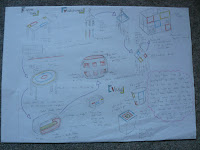
When it comes to generating ideas I always get stumped. I don’t know where to begin or what to start on. At the beginning of my AS product design project I started by having a client interview. This form of market research narrowed down the pathway I could take in order to come up with a design. Based upon the feedback I got, I went on to do a series of small quick sketches. Using this technique allowed me to generate a lot of ideas and they all flowed from each other. It is a fast way of generating a lot of ideas onto one page. 
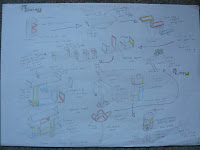
When developing ideas I believe it is essential to use as many techniques as possible in order to get a good perception on what the final design may be like. I would get client feedback from my generated ideas by asking them to select a small amount of sketches he/she likes. In my A2 product design project I developed my ideas by doing rough, quick mock ups on programmes such as Photoshop. This allowed me to change certain aspects of my ideas quickly, add colour effectively and I could send my ideas to my client electronically. I think that this is a great benefit as computers are being more widely used every single day within businesses.
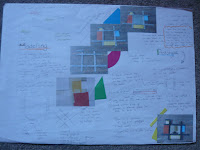


Once I have my final idea from client feedback, I then go on to create prototypes of my product by using different techniques. I create a simple model out of simple materials so that it is a quick and easy process. This allows me to identify any problems with the design of the product and see how certain components can fit together. I would then use more complex materials so I can experiment with them to see what I could use in my final product. I have also created models on computer programmes such as Techsoft 2D and Pro Desktop. Pro desktop was particularly useful as it allowed me to create a 3D model of my final design. This was beneficial as it gave me a 3D visualisation of my final product, changes could be made easily and the final assembly is automatically changed when 1 component is altered. Yet again I could send my work to my client in order to get feedback.
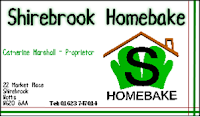



Throughout my design process I heavily rely on client feedback. This helps me to avoid bias and I can learn to create work to suit my client and their customers and not made upon my own expectations. Following these processes allowed me to be successful in Product Design and both my client and I were happy with the final outcome.

Screenshots of Techsoft 2D.


The image on the left shows some of the tools that are on the programme. I used the programme to create a net (right) for my point of sale in my A2 project and it was also used to create stickers to put onto my point of sale. The right image has different coloured lines because it codes for how it is cut out by a CADCAM machine. The red lines were scored and the black lines were cut. To create my stickers the same principle was used. A small CADCAM machine was used in order to cut them out. This made them look more professional and they had a better final finish.

Screenshots of Pro Desktop.


ProDesktop is a programme I used to create 3D electronic models of my work. This was another way of making prototypes. I was able to send my models to my client via e-mail and she sent me feedback to me via the internet. With businesses growing more to depend on the internet, this was a beneficial way of sending my work to my client.

Picture on the top shows an example of work that was done on ProDesktop. The picture on the bottom shows what the starting point is on the programme. The pictures below are examples of what I created for my final 3D logo.